
Use Form Builder Pro on a headless Shopify storefront
Embed a form on a headless storefront or any other domain with the form's embed snippet.
Form Builder Pro works on headless Shopify storefronts and on any other website: you add the site's domain, then paste the form's embed snippet into your HTML.
Embed a form on a custom domain
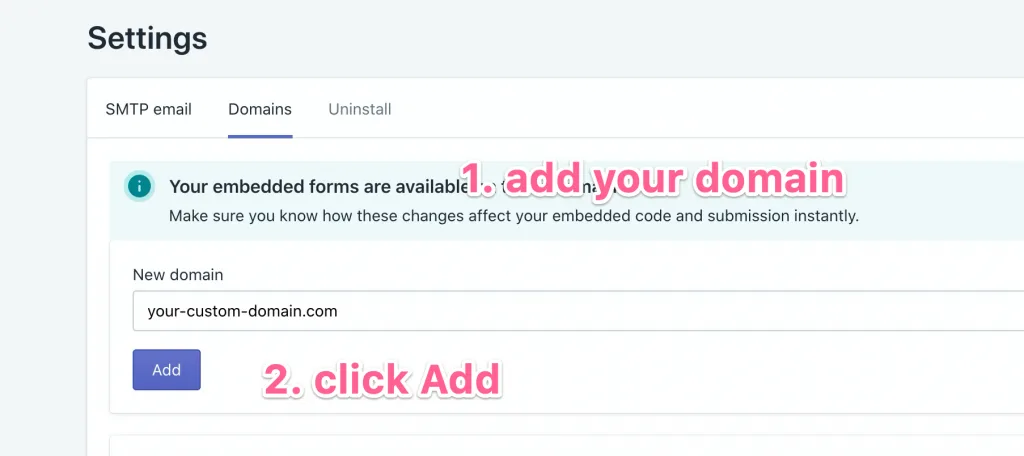
- Open Settings → Domains, enter your storefront's domain and click Add.
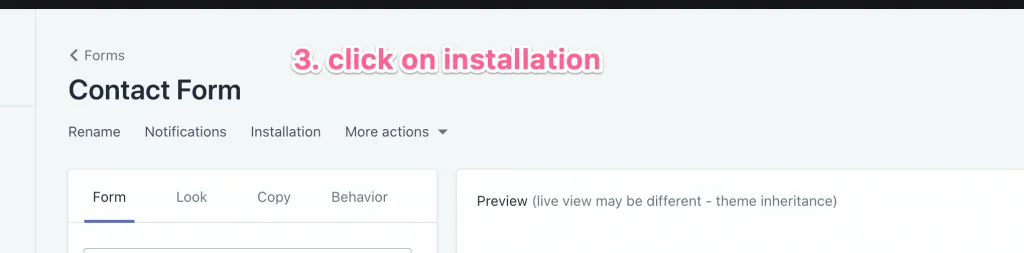
- Open the form and click Installation.
- Under Location, select A custom domain. The embed snippet appears below.
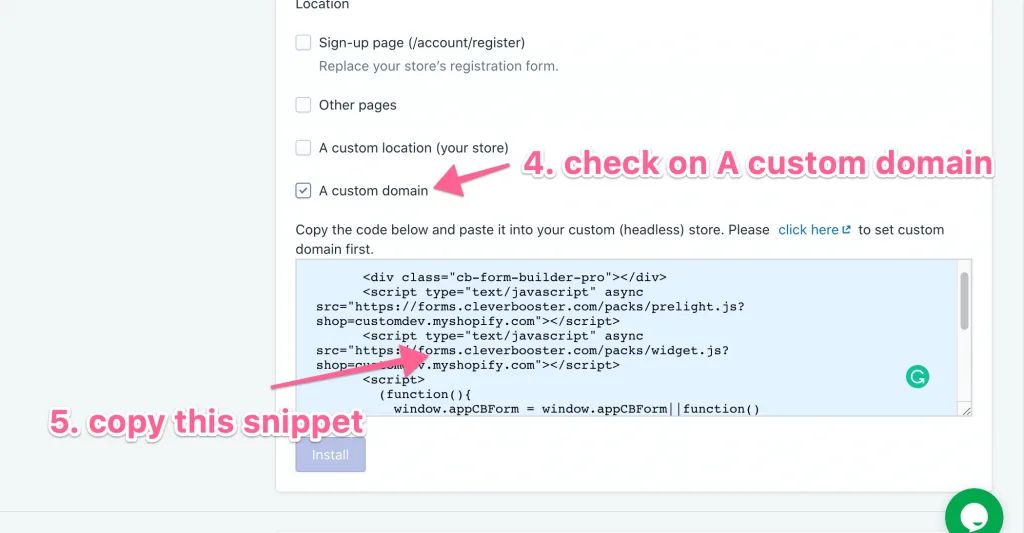
- Copy the snippet and paste it into your site's HTML where the form should appear.
The form loads on your headless storefront and submissions arrive in Form Builder Pro as usual. To run your own code when the form loads or is submitted, see JavaScript callbacks.